Plugin + Website
Pufferfish: An AI privacy protection plugin allowing users to control + learn about their data
roles
Product Designer
UX Researcher
tools
Figma
Figma MCP
Cursor AI
team
5 UX Researchers
1 Designer (Me)
overview
A 0-1 plugin, built to protect
I led a team of 6 to research user behavior in AI spaces. Participants were concerned about their data, but knew very little about their rights with respect to it.
To bridge this gap, my team ideated a privacy-focused plugin focused on platform transparency, user privacy protection, and ethical data use.
I solely designed and deployed the final product independently post-research.




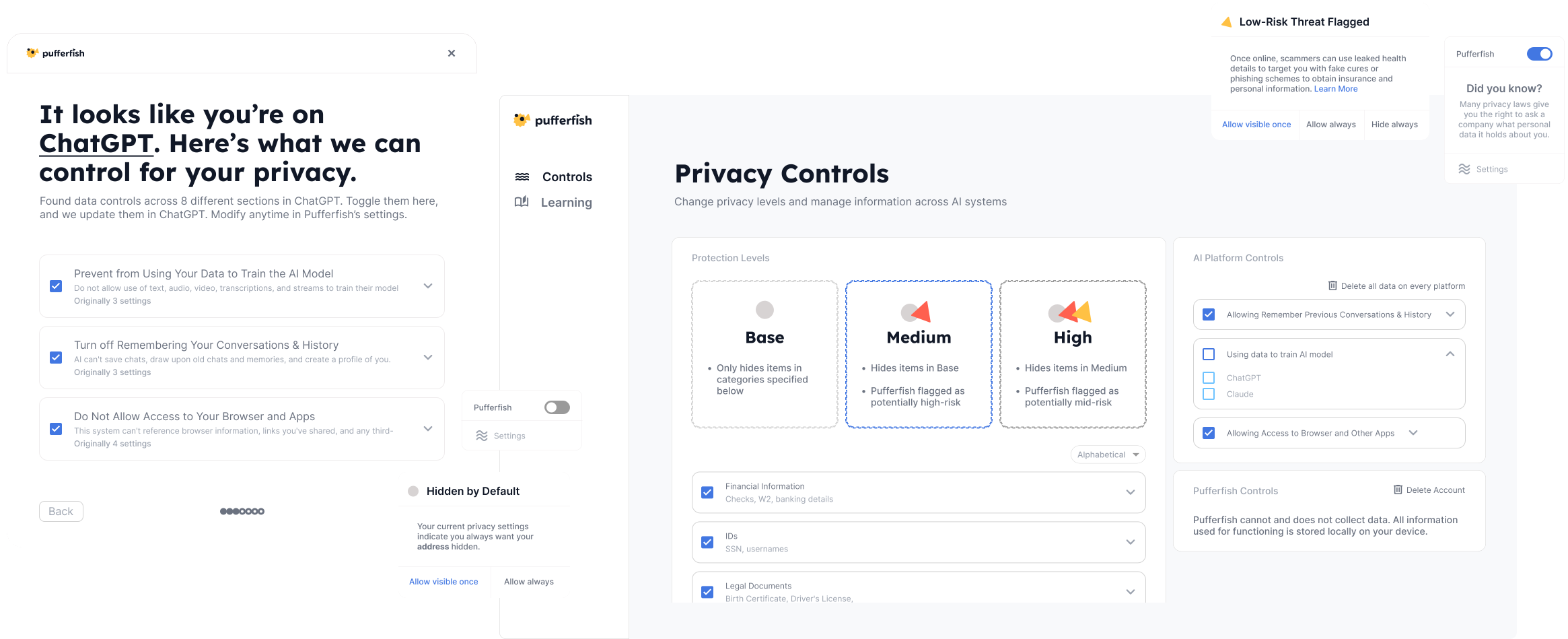
Cross-platform Control
Customize your level of protection in the Settings
The settings icon takes you to the website, with levels of protection built for varying user preferences.
Everything, up-front
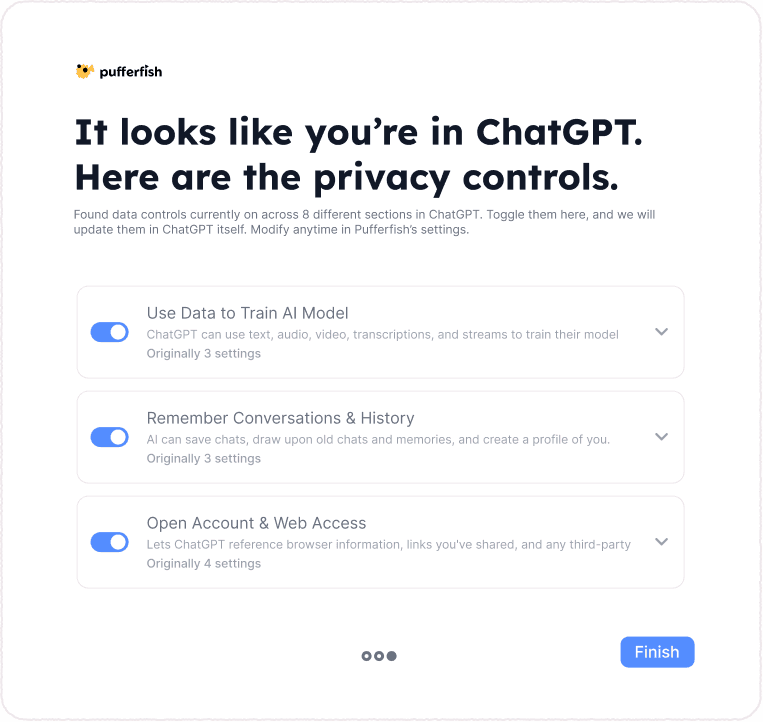
Plugin In Action: See existing data controls, then never answer another onboarding question.
Any action you take in this popup disables/enables a setting in that specific platform as well.
In-platform Detection
In Action: Mark tiers of sensitive content while typing…
Highlighted content is categorized according to risk.
…highlighted content is automatically swapped for contextually similar words in chat (while appearing the same to you).
User interaction is only needed if one wants to change a privacy level.
Easing into Education
Making Education accessible while building user independence
Daily facts and popups quickly educate users about why information may be dangerous. Users can independently decide what level of privacy they're comfortable with.

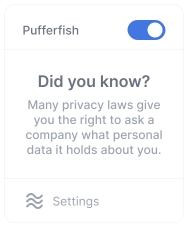
The "Learn More" links in the plugin lead to Pufferfish's learning tab or an external site.
Before the Design...
As the sole designer + part of a team of researchers: how did I get there?
Research Approach
I used surveys, desk research, and user interviews to understand how users operate in AI spaces.
I recruited, conducted interviews, and synthesized content for 5/18 users.
2000
Responses analyzed
18
User interviews across adults with varying levels of AI literacy
12
Think-aloud sessions using directed storytelling
01
Survey
Insights From Research
Overall, privacy concerns about AI stem from issues with brand trust and difficulties navigating software
1:. Most users default to assuming the worst about their rights
_
60%
Users were concerned + very concerned about data they put in AI systems, despite….
98%
…also vocalizing that they knew "very little" about the topic
2:. Privacy settings on AI platforms can be difficult to find and understand
+
Ideation
Coming up with an education and action-based plugin
I ideated by analyzing our desk research + interviews. What do users desire in AI spaces? Before my product could take action, it needed users themselves to understand their relationship with privacy.



An informational website itself wouldn't help much. Users won't feel equipped to protect themselves in their daily lives, and they won't be motivated to read and learn when they're busy.
A plugin is more lightweight, and can be integrated into one's daily workflow. One that can identify, share about, and hide private information can aid users by offering opportunities for action + consumable bits of education.
User Testing + Iteration
Weighing tradeoffs to maximize user goals
I designed for the plugin with the goal of decreasing its interference with use of programs like ChatGPT/Claude, exploring and testing several versions to find the most usable ratio of content.
1:. Initially designed controls to be on a side widget and popup
_
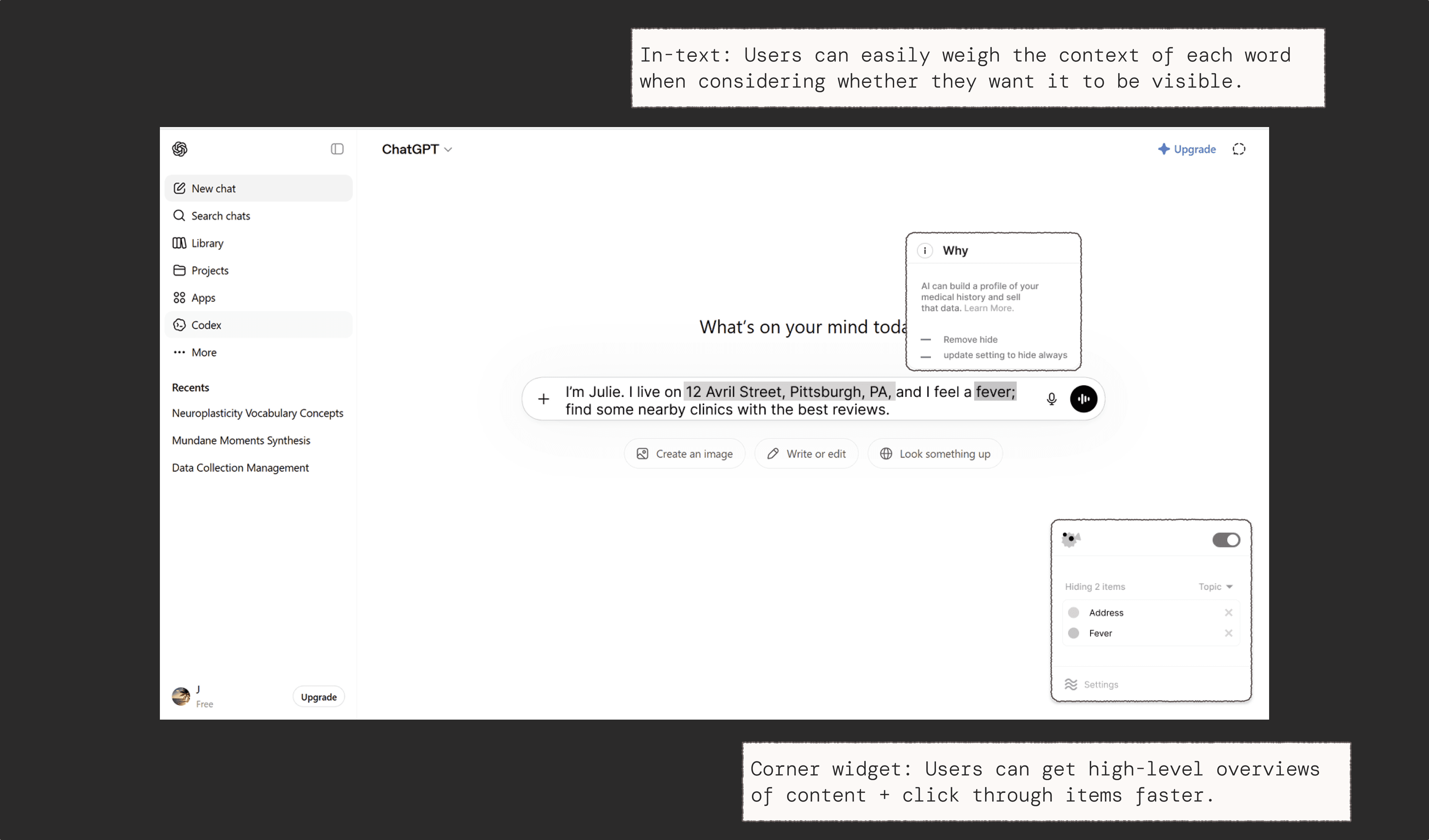
Popup size limits ability to give users much information…

So I crafted iteration 1 of Pufferfish to have 2 popups: allowing for maximum user control while reducing screen space takeover.

However, testing revealed that users were confused about the difference between the information on the in-text popup vs. corner widget, and defaulted to only using the widget.

2:. Testing revealed users favored fewer features in exchange for efficiency
+
Reflection
Plugin Interactions, Vibe coding, and Research
I didn't initially realize I would be introducing an unfamiliar form of interaction to users until I tested. How could I induce them to click and manipulate in-chat text while interactions existed in the widget separately? Apps are self-containing in interaction, whereas a plugin like this had space for interaction in various locations.
Moving forward, I’m eager to probe further at layouts to investigate if they might require novel flows for interaction before designing, and test these shifts in layouts more rigorously, as it would have saved time in implementing these changes in code later on.
I blended design thinking with craft through Cursor AI and Figma MCP. Being able to test my prototypes in code led to an unexpected bonus: I caught edge cases I hadn’t previously thought of, and was able to adapt designs accordingly.